Seat your guests.
Collect their RSVPs.
Build your wedding website, keep replies in one guest list, and arrange a seating plan you can share with your venue.
Free to use. No credit card required.Try the demo without an account.
Start where you are
Still waiting for replies or ready to seat everyone? Your website and seating plan share the same guest list.
Collect RSVPs first
Add your events, choose a look, and share your wedding website. Guests can reply to each event and tell you what they need.
See a wedding websiteAlready have a guest list?
Import a spreadsheet or add guests by name. Add your tables and start arranging people, with or without RSVPs.
Try the seating planner- Bring your guests togetherCollect replies or import your list.
- Find a place for everyoneChoose tables, arrange guests, and adjust together.
- Share the finished planDownload a PDF for your venue or invite someone to help.
From invitations to a plan you can share
See what your guests receive and what you can bring to your venue. These examples use fictional guests.
A wedding website that feels like you
Share the details of your day and collect each guest’s reply in one place.
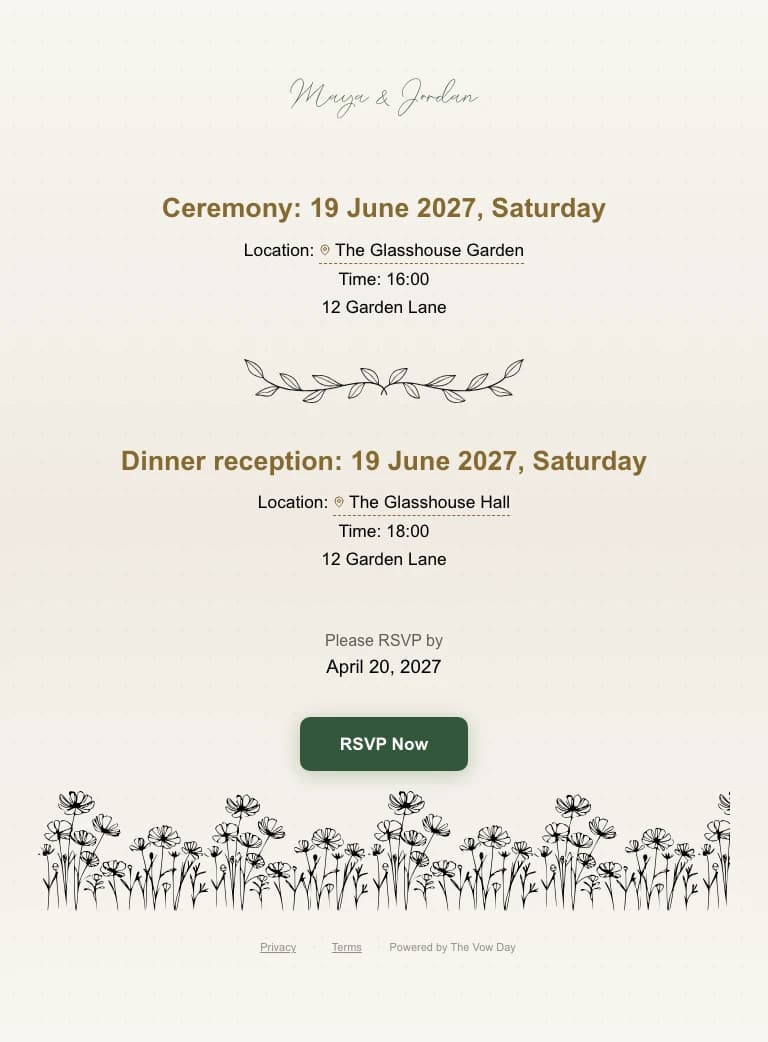
A read-only example made with the website builder. No real invitations or replies.
A clear plan for your venue
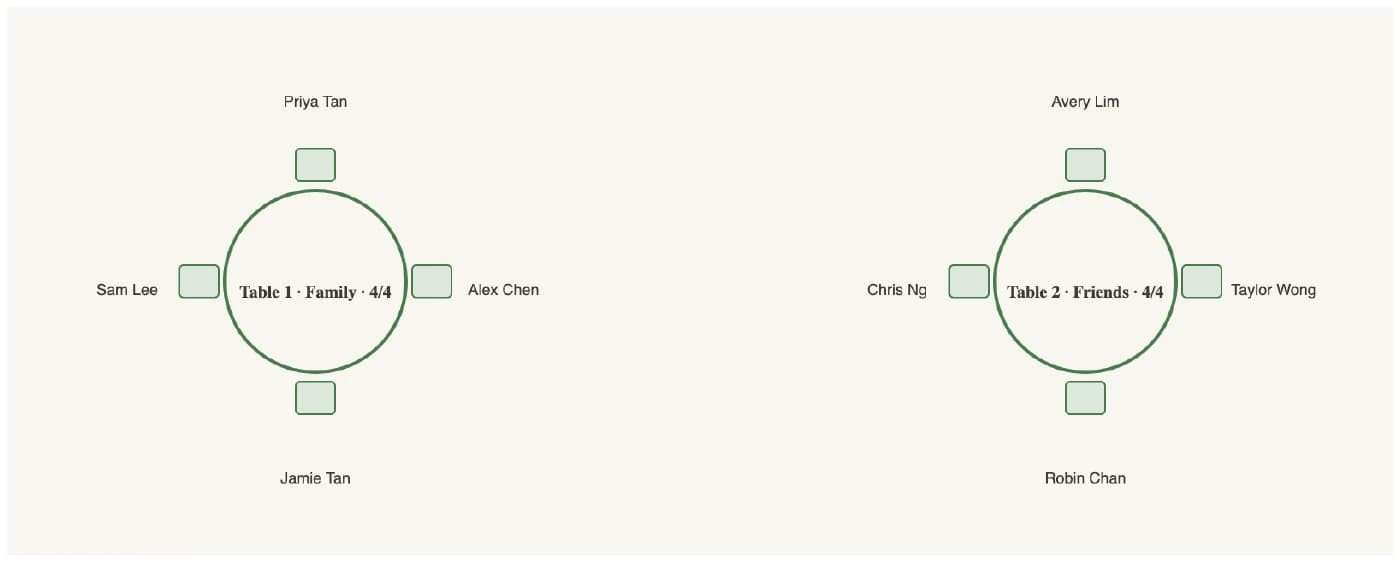
Export your floor plan as a PDF, with table names and guests easy to find.
Sample venue handoff · Actual PDF export
Maya & Jordan
Dinner reception · Guest seating
- Priya Tan
- Alex Chen
- Jamie Tan
- Sam Lee
- Avery Lim
- Taylor Wong
- Robin Chan
- Chris Ng
Generated with the planner’s PDF export and full guest names. Your export uses your own tables and layout.
One page · 3 MB · Fictional guests. The guest list above provides a text version of the plan.
Start with your own wedding, or explore a sample plan before making an account.
Help with the details, when you need it
Explore the tools for changing plans, collaborating, and welcoming your guests.
Keep RSVPs and seating together
RSVPs flow straight into your seating chart
See who is coming to each event without copying replies between tools. Filter your plan for the ceremony, dinner, or another celebration.
- Collect replies for each event.
- Keep dietary answers and guest details together.
- Plan with your existing list even before everyone replies.
Arrange guests with your preferences in mind
Keep the right people together
Set preferences such as keeping family together or choosing a particular table. Review suggested arrangements and make your own adjustments.
Get help with changes and questions
One AI assistant for seating and RSVPs
Ask for help in plain language: “Keep this family together” or “Add a dietary question.” Review the changes and keep control of your plan.
Plan together and share with confidence
Give everyone the right access
Invite your partner or planner to edit, or share a view-only link with your venue. See changes as you work together and use history when plans change.
- Choose who can view or edit.
- Keep guest contact visibility under your control.
- Download a PDF when it is time to hand over the plan.
Welcome guests on the day
Check guests in and share their seats
Give ushers a check-in link and prepare guest messages when you are ready. Review recipients and messages before sending.
More ways to make the plan yours
Try a sample wedding
Explore the planner without an account, then sign up to keep your plan.
Compare seating ideas
Try a different arrangement in a draft before choosing your main plan.
Revisit earlier plans
Browse saved seating changes and restore an earlier version when you need it.
Alignment guides
Gold guide lines and auto-snap keep your tables tidy as you drag them around the floor plan.
Copy & paste
Duplicate tables and floor objects with Cmd/Ctrl-C and V, just like a design tool.
Table rotation
Rotate round and rectangular tables to match your real venue layout exactly.
PDF export
Export a print-ready floor plan PDF to hand off to your venue or caterer.
CSV import
Bulk-import your guest list from a spreadsheet — names, tags, and contacts in one go.
Find your venue
Search for your venue and check the address before sharing it with guests.
Layout & theme templates
Start from a designed wedding-website template and recolour it to match your palette.
Make a little room for your big day.
Your guests, your tables, your way of celebrating.
Free to use. No credit card required.